Docs
Roll out to the whole company
Send the same install command through the device management you already have. Every laptop enrols itself. Nothing to register per developer or per AI tool.
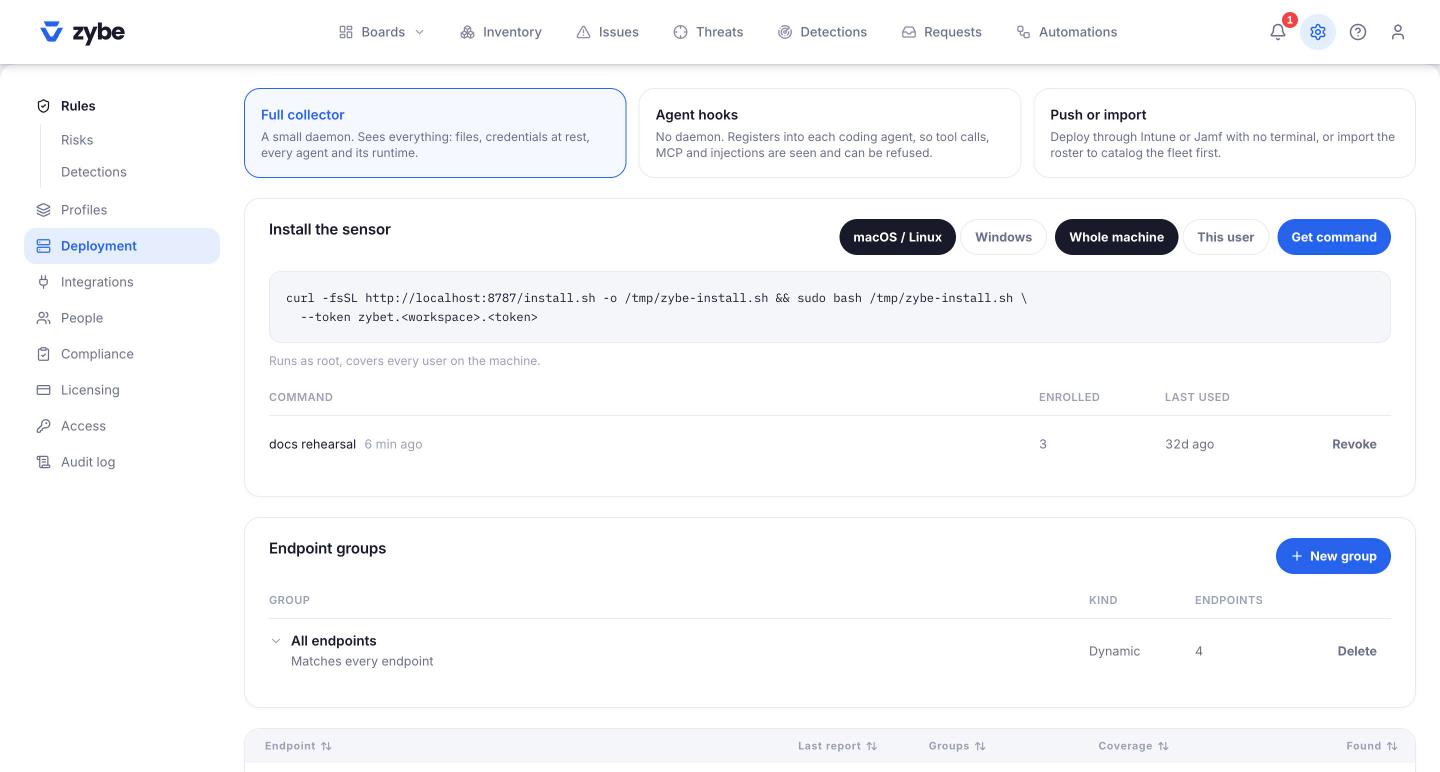
What you need
- The install command from Settings, Deployment. It's the same for every machine.
- A way to run a script on your company's laptops: Jamf, Intune, Kandji, or any device management (MDM) tool. If you have none, a shared document with the command and a deadline works for a small team.
Steps
- In your device management tool, create a script policy that runs the Mac or Linux command from the Deployment page, as an administrator.
- For Windows laptops, make sure Git for Windows is installed first, then run the PowerShell command.
- Push it to a few machines first. Watch them appear on Endpoints.
- Push it to everyone.
Each machine installs ZYBE, finds its AI tools, and starts reporting. You don't need to know in advance which AI tools people have.
The three cards on the Deployment page
Full collector is the install above: a small service that sees everything. Agent hooks is a lighter install with no service, for developers' own machines; see Install on one machine. Push or import is the full install through your device management, or a people list first so every laptop has an owner before the sensor lands.
Before you push: decide what happens on day one
A new workspace records everything and blocks only two things: items you've blocked by hand in the Inventory, and an AI tool trying to turn ZYBE off. Nothing a developer does is stopped until you choose to stop it. So a rollout is safe. People won't notice ZYBE until you set a rule to Ask or Block.
If you want to be extra careful, switch on Pause all enforcement under Settings, Rules. Then even rules set to Block only report, until you switch it off.
After the rollout
- Endpoints shows every machine and whether it's reporting. A machine that goes quiet raises its own issue.
- Endpoint has no owner appears for machines nobody is named for. Upload your people list under Settings, People, or connect your identity provider, and owners are matched automatically.
- Put machines into groups (Finance, Engineering, contractors) so different rules can apply to different people. See Different rules for different teams.
Containers and build servers
For a machine that isn't a laptop, pass --mode external on Linux. That installs the files and no scheduler. Run /opt/zybe/bin/zybe-sensor from your own scheduler. Set the environment variable ZYBE_MACHINE_ID to something unique per container, because copies of one image share the same machine id otherwise.