Docs
Get told when something happens
A Slack message, an email, a PagerDuty incident or a Jira ticket when a critical finding appears. Automations decide what happens, integrations decide where it goes.
Step 1: connect the place
- Click the gear icon, then Integrations.
- Under Available, click Connect on Slack, Microsoft Teams, PagerDuty, Jira, Splunk or Microsoft Sentinel.
- Fill in what it asks for. It's saved after a test message reaches it, so you know it works.
Step 2: make an automation
An automation is: when this happens, if these things are true, do that.
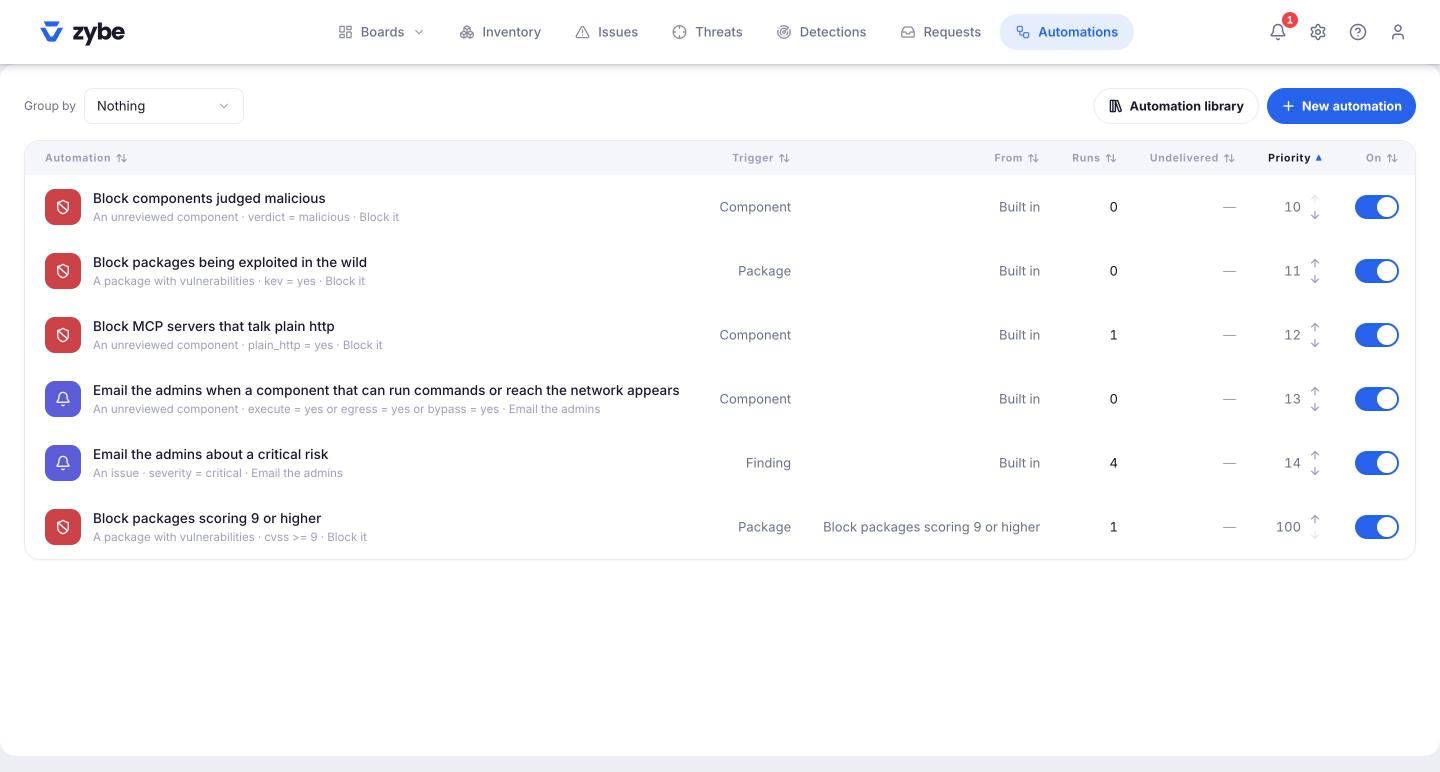
- Click Automations in the top bar.
- Click Automation library for ready-made ones. Tell the right person has "email the admins about a critical risk". Send it to your tools has the Slack, Teams and PagerDuty ones. Pick one and it's on.
- Or click New automation and build it: choose what it Starts on (an issue, a detection, a threat, any finding, a package, a component, a schedule or manual), add conditions, and add a Notify or Integrations step.
Ones worth having on day one
- Critical threat: Slack channel the security team reads.
- ZYBE was uninstalled from an endpoint and Agent tried to turn off ZYBE: the same channel.
- Endpoint has stopped reporting and Sessions running unobserved: same. A laptop went quiet, or an AI tool ran without ZYBE seeing it.
- The weekly note to each owner, from the library under Keep the team in the loop.
Automatic actions, not just messages
The Guardrails category in the library does things rather than tells you: block a component judged malicious, block a package being exploited in the wild, block an MCP server that talks over plain HTTP. They're on in a new workspace.
Send one finding to someone
In any finding's panel, click Actions, then Send to the owner. They get an email with the finding and the fix.