Docs
Standing permissions no AI tool may hold
Developers can tell an AI tool "always allow this" and it stops asking. Name the permissions that must never stand, and the laptop removes them and keeps them out.
What a standing permission is
An AI tool asks before it acts. A developer who's tired of saying yes can grant a standing rule, like "always allow git push" or "always allow reading ~/.ssh". From then on it doesn't ask. ZYBE reads every such grant on every laptop; they're on the Permissions tab of the AI tool in the console.
Forbid some
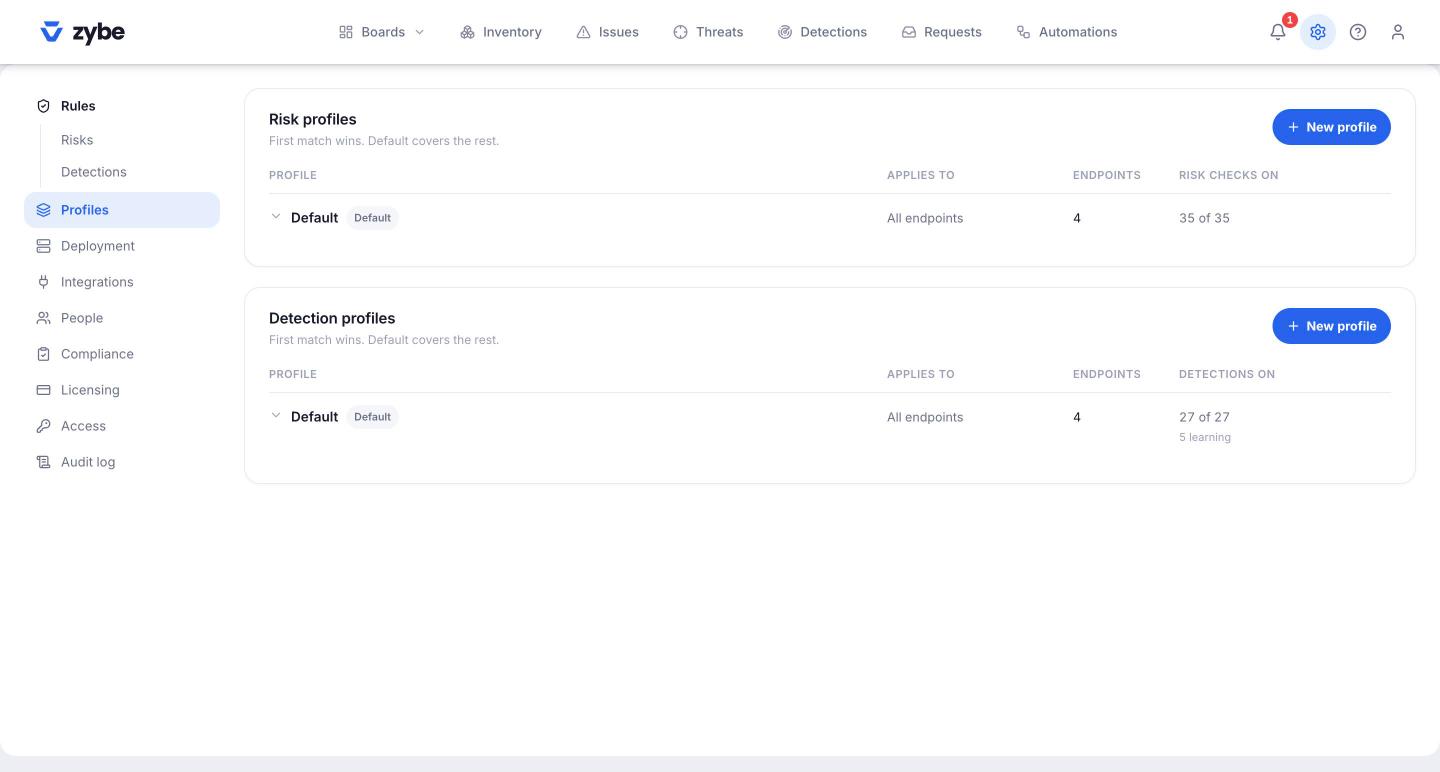
- Click the gear icon, then Profiles.
- Expand a detection profile. The Default is fine to start with.
- In Standing permissions no agent may hold, type a pattern and press Enter, or click a Suggested chip. They look like
Bash(git push*),Read(~/.ssh*),WebFetch. - Tick Remove from endpoints and keep out if you want the laptop to act, not just tell you.
Suggested ones: pushes, sudo, recursive deletes, curl and wget, ssh and scp, reads of SSH keys, AWS credentials, .env files, .pem and .key files, and web fetches.
What happens
Holding a forbidden permission raises the detection Forbidden permission held, severity High, naming the tool, the laptop and the permission.
With Remove from endpoints and keep out ticked, on its next sync the laptop removes the grant from the tool's settings and writes the pattern into the tool's deny list, which the tool ranks above any allow. Granting it again does nothing. The detection closes itself once the permission is gone. Patterns you later remove from the list are taken out of the deny list too; the developer's own denies are left alone.
Without the tick, it's only reported, and the developer removes it in the tool's settings.
Which AI tools this covers
| Tool | Where it keeps "always allow" | What ZYBE does |
|---|---|---|
| Claude Code | Its settings file | Reads, removes, keeps out |
| Cursor | The Cursor agent's settings file | Reads, removes, keeps out |
| Gemini CLI | Its settings file | Reads, removes, keeps out |
| VS Code with Copilot Chat | The terminal and web auto-approve settings | Reads, removes, keeps out |
| Codex CLI | Its config file: "never ask" and "no sandbox" | Reads, puts Codex's defaults back |
Copilot CLI forgets its approvals when the session ends, so there's nothing standing to remove.