Docs
Upload your people list
Give every laptop an owner and a department, so findings go to the right person and groups like "Finance" fill themselves. One CSV from HR or your directory.
Why
A finding on a laptop with no owner has nobody to send it to. A group rule like "department is Finance" needs to know who owns each laptop. And Endpoint belongs to somebody who has left needs to know who's left. All three come from the people list.
Steps
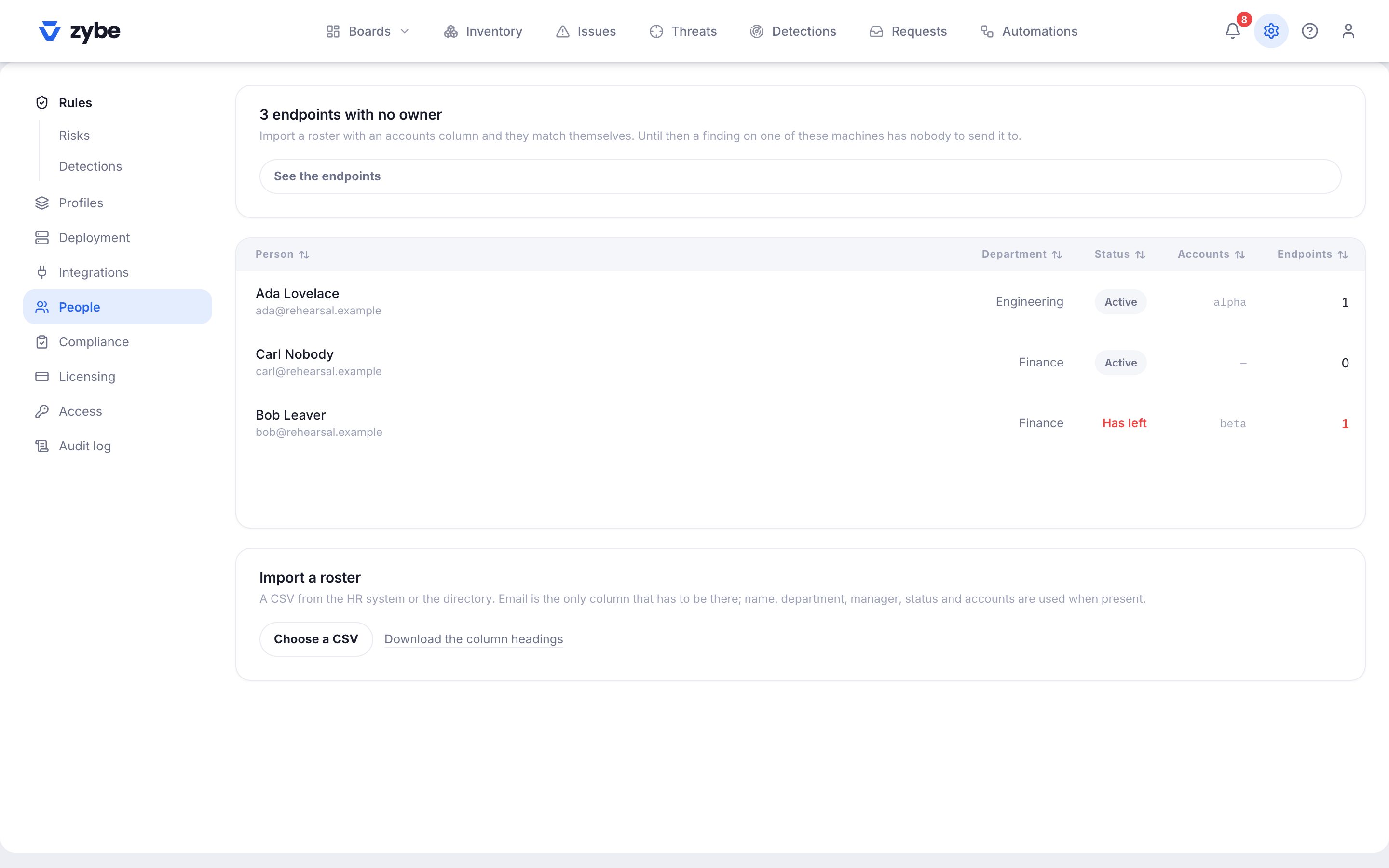
- Click the gear icon, then People.
- Click Download the column headings for a template, or make a CSV with these columns. Only email is required.
| Column | What goes in it |
|---|---|
| The person's work email. Required. | |
| name | Their name. If missing, the part of the email before @ is used. |
| department | Finance, Engineering, and so on. This is what group rules match on. |
| manager | The manager's email. |
| status | active, or anything like departed, terminated, leaver, inactive, disabled. Blank means active. |
| accounts | The login name on their laptop, like jsmith. Several separated by ;. |
| hostnames | The laptop's hostname, if you know it. Several separated by ;. |
Other common headings are understood too: mail, displayname, team, username, devices.
- Click Choose a CSV and pick the file. The result line says how many people were imported and how many laptops got an owner.
Upload again whenever the list changes. Email is the key, so a person's row is updated, not duplicated. Files over 4 MB are refused.
How a laptop gets its owner
ZYBE tries three things, strongest first.
- The hostnames column matches the laptop's hostname.
- An AI tool on the laptop is signed in with that person's email.
- The accounts column matches the laptop's login account, and only one person claims it.
An owner you set by hand on the laptop's page beats all three.
Use it
- On Settings, Deployment, make a group with the rule Department is Finance. See Different rules for different teams.
- In a finding's Actions menu, Send to the owner emails them what was found and the fix.
- The banner "endpoints with no owner" on the People page lists what's still unmatched.
If you use single sign-on with provisioning, your directory keeps the list up to date for you. See Add your team. Provisioning doesn't set departments or accounts, so a CSV is still the way to get those.