Docs
Stop dangerous commands
Deleting a folder, force-pushing, piping a download into a shell, using sudo, writing to startup locations. Each is a rule you can set to Block.
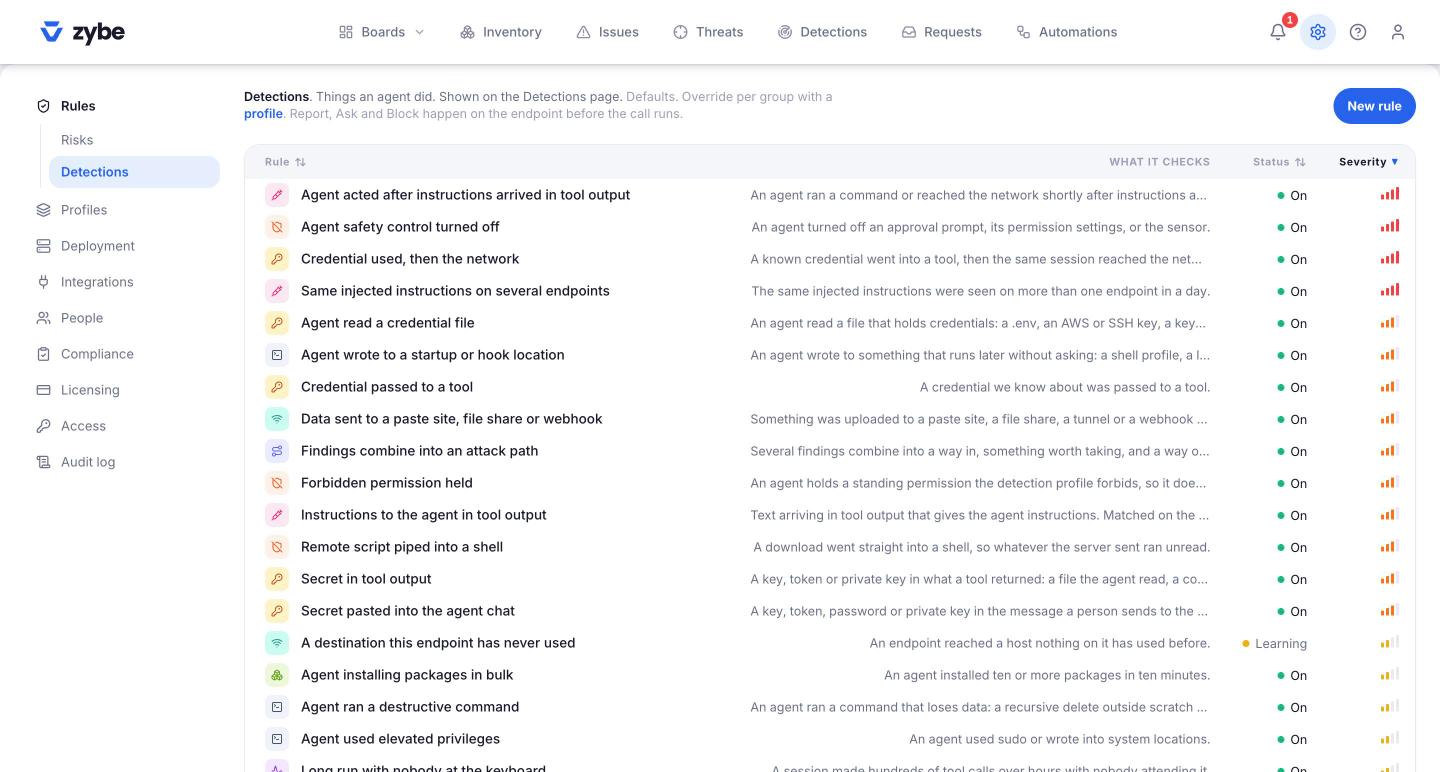
The rules
- Click the gear icon, then Rules, then Detections.
- Each of these can be set to Report, Ask or Block. Click the rule, click Edit, choose under When it matches, click Save.
| Rule | What it stops |
|---|---|
| Agent ran a destructive command | rm -rf outside scratch folders, a force push, a hard reset, dropping a database table, destroying infrastructure |
| Remote script piped into a shell | `curl ... |
| Agent used elevated privileges | sudo, or writing into system folders |
| Agent wrote to a startup or hook location | A shell profile, a launch agent, cron, a git hook: anything that runs later without asking |
| Package installed from a URL, not a registry | Installing from a git URL or a tarball, which no vulnerability feed covers |
| Data sent to a paste site, file share or webhook | Uploads to pastebin, transfer.sh, a tunnel, a webhook host |
| Agent is running without approval | The AI tool's own "ask me first" step has been switched off |
| Agent tried to turn off ZYBE | Stopping the sensor, deleting its files, or editing the settings that connect an AI tool to it. Starts at Block. |
A sensible starting set
Block: destructive commands, pipe to shell, writes to startup locations, uploads to paste sites. Ask: elevated privileges and installs from a URL, since developers sometimes need those. Everything else: Report, until you've watched the Detections page for a week.
What the developer sees
For Block, the tool stops and shows the rule's name. For Ask, the tool pauses, shows the reason, and lets the developer choose. Either way the attempt is on your Detections page with its outcome.
Commands you care about that aren't listed
Write your own rule. "No git push --force to any branch starting with prod-" takes a minute. See Write your own rule.