Docs
Claude Desktop
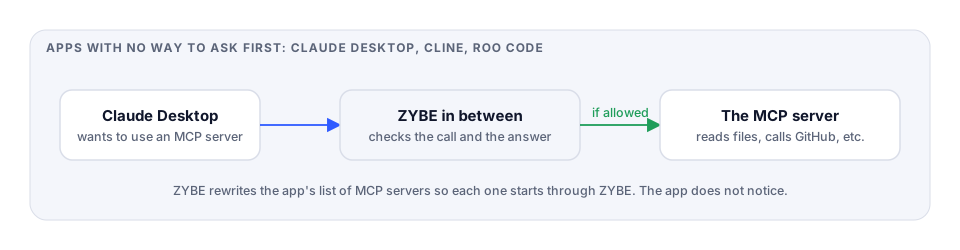
Anthropic's desktop app. It acts on the machine through MCP servers, and ZYBE checks every call to them and every answer back.
What ZYBE can do
Block every MCP call. Claude Desktop touches the machine only through the MCP servers listed in its settings, so this covers everything it does on the laptop: file reads and writes, commands, anything an MCP server can do. Contained servers, credential reads, action after prompt injection, your own MCP-tool rules, all hold.
What you do
Install the sensor, then restart Claude Desktop. ZYBE rewrites the app's list of MCP servers so each one starts through ZYBE. The app doesn't notice. The uninstaller puts the list back.
Check it's working
- In Claude Desktop, ask it to use any of its MCP servers, say to list a folder.
- In the console, open the laptop from Inventory, Endpoints, click Sensor. Claude Desktop shows Blocking.
What the developer sees when blocked
The MCP server answers with ZYBE's reason instead of doing the thing, and Claude explains:
An organisation rule blocked the call before it ran, so the file wasn't read.
Prompt injection here
Claude Desktop sends several MCP calls at once. ZYBE holds each one until the answers before it have been read, so an injected answer can't slip a call past.
For IT
The list is ~/Library/Application Support/Claude/claude_desktop_config.json on Mac. Each server's command is wrapped with zybe-mcp.