Docs
See every AI tool on the company's laptops
Which AI tools are installed, where, by whom, what version, and what each one can reach. No survey, no asking.
What you need
The sensor installed on the laptops. See Roll out to the whole company. Within a minute of each install, the laptop and its AI tools are in the console.
Steps
- Click Inventory in the top bar.
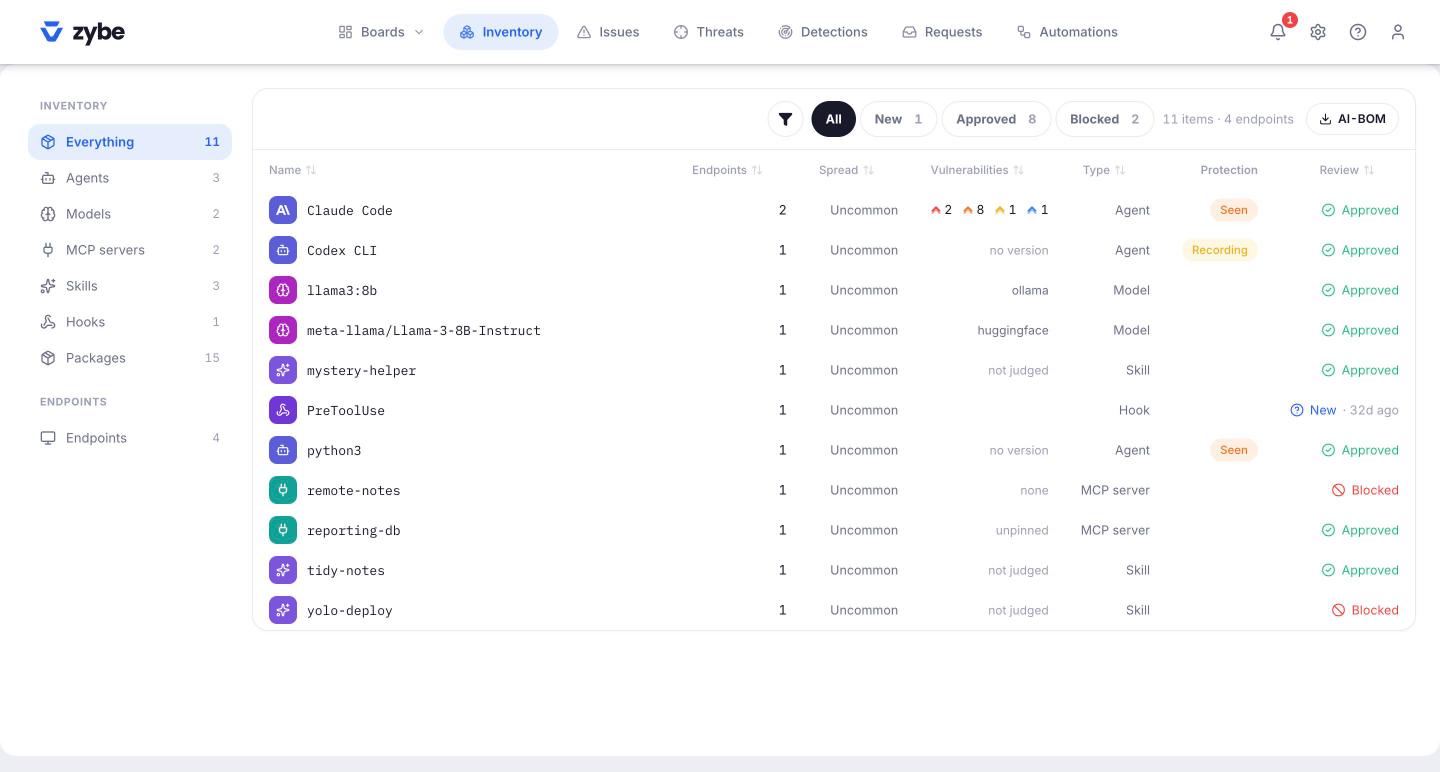
- The list shows every AI tool, MCP server, skill, package and model on every endpoint. Use the left rail to narrow it to one kind, say Agents.
- Each AI tool row shows how many endpoints it's on, its versions, and the Protection column: Blocking, Recording or Seen, with a count when it differs by machine. Hover the word for what it means.
- Click a row to see which endpoints have it and who owns them.
Export it
The AI-BOM button exports the whole list as a file. It's the AI equivalent of a software bill of materials: what's installed, where, which version, what it can reach.
See one laptop
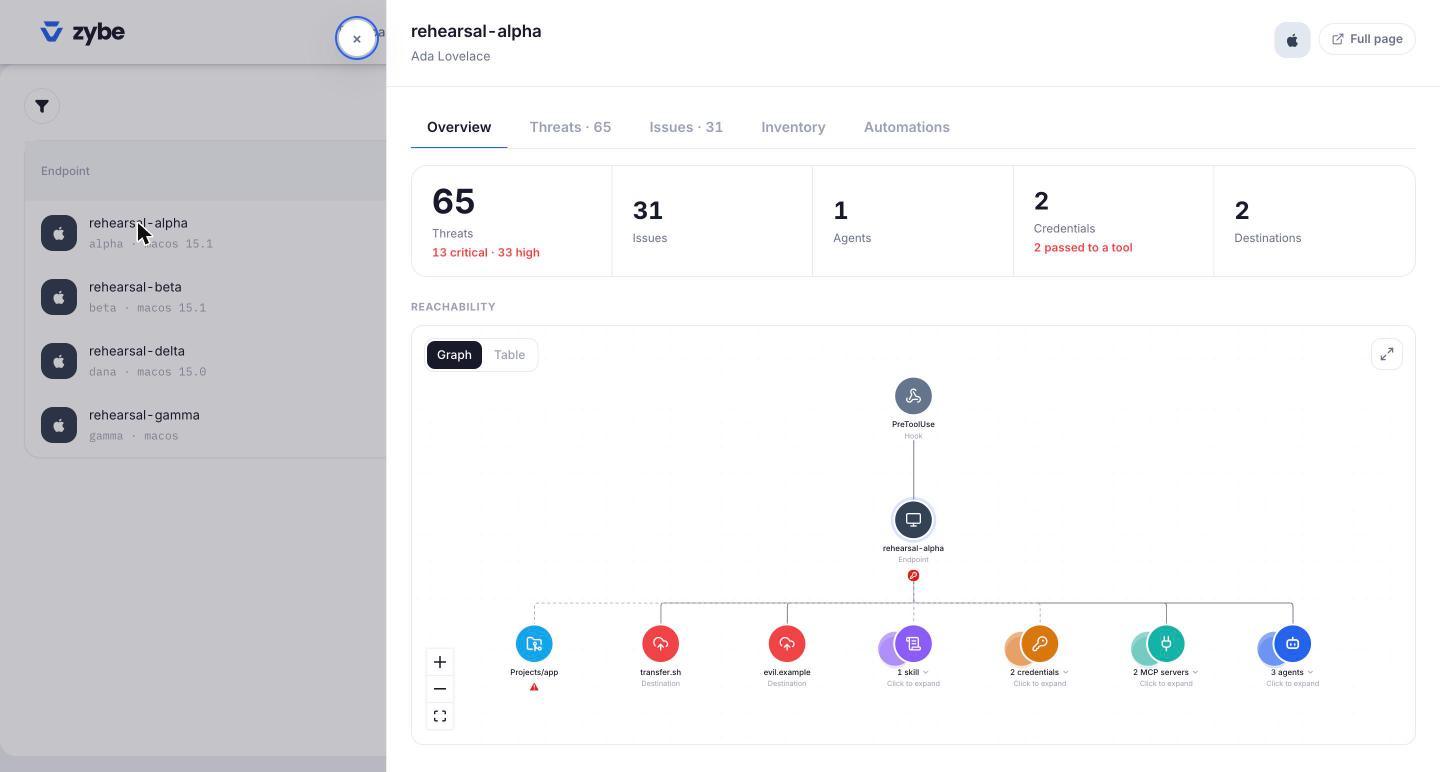
- In the Inventory's left rail, click Endpoints.
- Click a laptop. The Overview tab shows open findings, the AI tools, the credentials they can read and the internet destinations they've reached, and draws how they connect.
- Click Inventory at the top of the page for everything on this one machine.
- Click Sensor for the state of each AI tool on it and why.
What's new
Everything arrives marked New until somebody looks at it. On the Issues page, the Unreviewed chip lists what hasn't been looked at. Open an item and approve it or block it. See Review new MCP servers and skills.