Docs
Stop agents reading passwords and keys
Find every key and password an AI tool can reach, move the ones you can, and stop the AI from reading the rest.
Why this matters
An AI tool runs with the developer's access. If there's an AWS key in a .env file, in a shell profile, or in an MCP server's settings, the AI can read it. And an AI that's been tricked by a web page will.
Step 1: see where the keys are
- Click Issues, then the Secrets chip.
- Credentials an agent can read lists each key by name and where it sits: a project
.envfile, a shell profile, an MCP server's settings, the AWS or gcloud credential files. ZYBE never reads the value, only that a key with that name is there. - Credential in an MCP configuration is the worst kind: a key in plain text in a settings file every AI tool reads.
- Same credential on several endpoints means one key is on more than one laptop. If it leaks, you don't know from where.
Each issue says what to do. Usually: move the key into a secrets manager or the keychain, where AI tools don't read.
Step 2: stop the reads
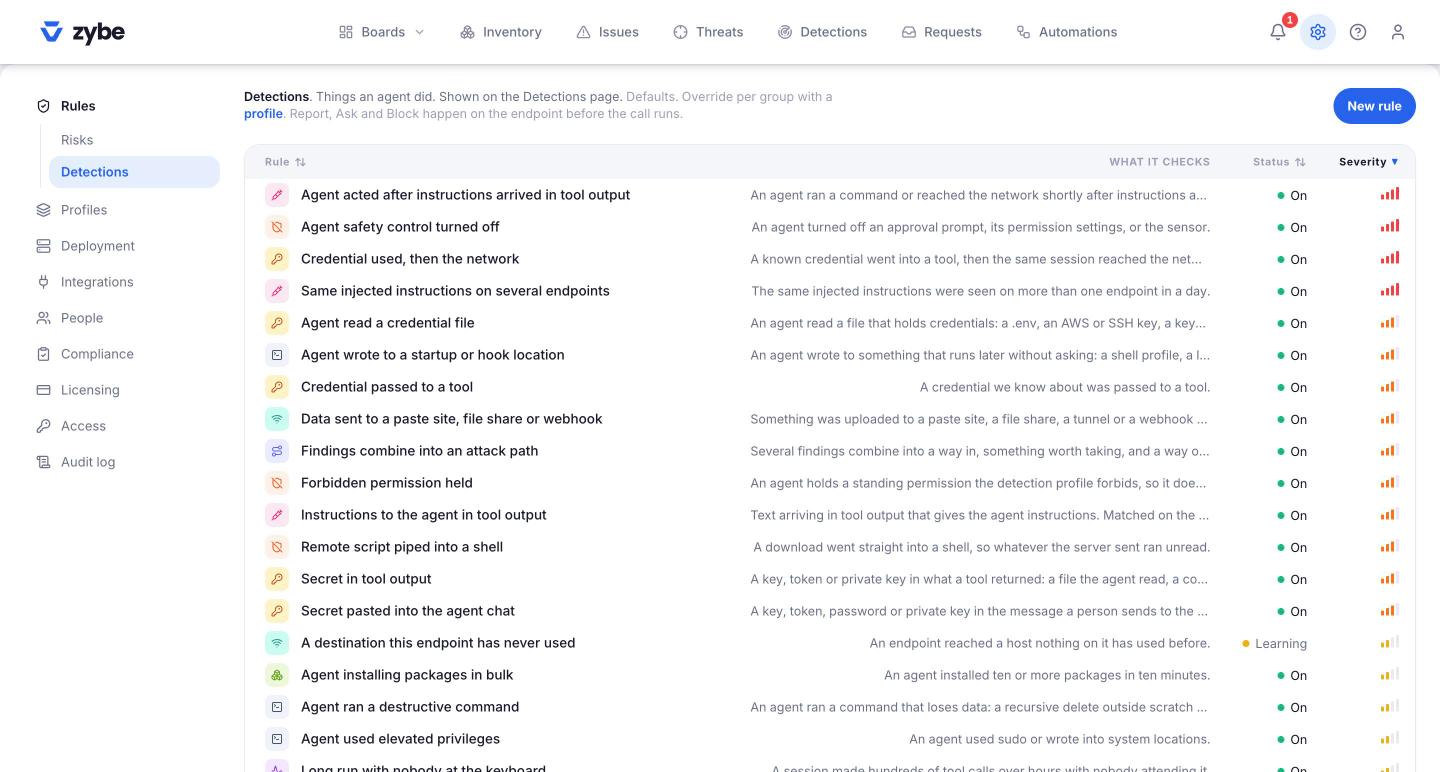
- Click the gear icon, then Rules, then Detections.
- Click Agent read a credential file. Click Edit. Set When it matches to Block, or Ask if you'd rather developers decide each time. Click Save.
From now on, on every laptop where the AI tool shows Blocking, a read of .env, ~/.aws/credentials, an SSH key, a keychain export or similar is refused before it happens. The developer sees why. The AI is told it's a company rule.
To do it only for some teams or some AI tools, put the rule in a profile instead. See Different rules for different teams.
Step 3: catch a key leaving
Two more rules watch for a key that's already been read.
- Credential used, then the network. A key ZYBE knows about went into a tool call, and then the same session reached the internet. Set it to Block and the network call is refused.
- Secret pasted into the agent chat. A developer pasted a key or token into the AI tool. Under Rules, Advanced, Pasted secrets chooses Block or Report.
What the developer sees
In the terminal or editor, one sentence:
Blocked by your organisation's rule "Agent read a credential file" (ZYBE).
followed by a link to ask for an exception. If they click it and give a reason, the request lands on your Requests page. See Let someone past a rule.