Docs
Block contained packages in the terminal, not only in agents
A contained package is already refused inside every agent. Extend that to what developers install by hand with npm and pip, with the reason and a link to ask.
Why
Containing a package refuses it inside every AI tool that shows Blocking. The developer at the keyboard can still type npm install or pip install in a terminal and get it. The install gate closes that: npm and pip on the laptop fetch through ZYBE, and the same policy answers them.
How it works
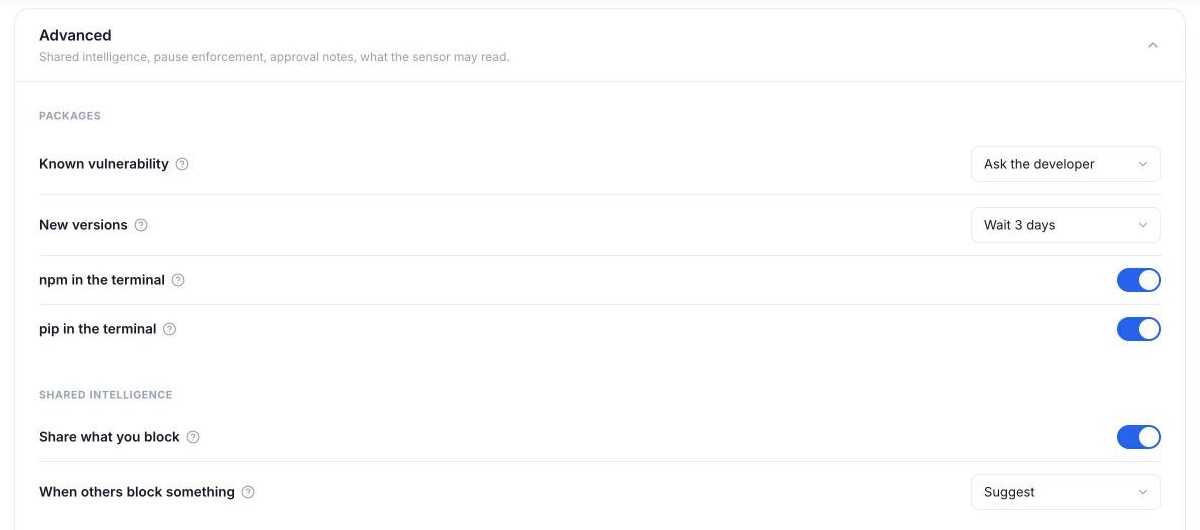
There's nothing to switch on. On every laptop, npm and pip fetch through ZYBE's gateway on the laptop itself, and the same policy answers them as answers the agents: block a package for the AI and it's blocked in the terminal too. Nothing is sent anywhere else: the gateway asks the real registry and hands the answer back, minus what you've contained.
What happens on an install
| You contained | npm or pip sees |
|---|---|
| A package | The install fails with: Blocked by your organisation: left-pad has been contained and may not be installed. |
| A package below a version | Only versions from your fix onward exist. npm install left-pad@1.1.0 finds no such version; npm install left-pad gets the fixed one. |
| Nothing, and the version came out yesterday | With Hold back brand-new releases set to 3 days, npm and pip get the newest version that's old enough. Asked for by name, the install fails with: Held by your organisation: left-pad 1.4.0 came out 20 hours ago. New versions wait 3 days, so it can be installed in 2 days. and a link to ask. |
| Nothing, with Unreviewed set to hold packages | The install fails with: Held for review by your organisation: lodash has not been approved. Ask for it: and a link. The request lands on Requests. |
Every refusal is a detection on the endpoint, under the Registry tool, so you can see who tried what without reading anybody's terminal.
Brand-new releases wait
Most malicious releases are found and pulled within a few days of going up. Hold back brand-new releases under Packages keeps a version out until it's that old: 24 hours, 3 days or 7 days, or No to turn it off. It's off until you choose a wait.
Nobody has to do anything different. npm install left-pad or a range like ^1.2.0 quietly installs the newest version that's old enough. A package you approved, or granted to one laptop from Requests, doesn't wait.
Check it's working
Open Inventory, then Endpoints. A laptop with the gate on says packages gated under its last scan. On your own machine, contain a package you don't use and run npm view on it: npm answers with the reason.
What it doesn't change
Packages already installed stay where they are; the issue Contained package still present lists them. A lockfile that pins a contained version fails to install, which is the point. Registries other than npmjs.org and PyPI, such as a company Artifactory, aren't gated: the gate replaces the default registry only, and a project .npmrc that names another one wins over it.