Docs
Handle a vulnerable package or AI tool
A package an AI tool installed has a published vulnerability, or the AI tool itself does. What the finding says, what to do, and how to stop vulnerable installs before they happen.
Where the knowledge comes from
ZYBE sends only package names to the public vulnerability database at osv.dev and reads back the advisories, for npm, PyPI, NuGet, crates.io, Go and Maven. It adds whether each one is known to be exploited in the wild, from the CISA list, and how likely it is to be, from EPSS. Nothing about your code leaves.
The findings
Package with a known vulnerability. One issue per laptop per project or MCP server, severity High. It names the packages, how many advisories, how many have a fixed version, and whether any is exploited in the wild. The item list shows package, version, the CVE, severity, CVSS score, exploited, EPSS and the fixed version, each linking to the advisory. A fix command is at the bottom.
Agent with a known vulnerability. The AI tool itself, with the version that fixes it and the command to update.
Agent far behind its current release. Not a vulnerability yet, but a tool more than 90 days behind its current release is missing every fix since, including the ones never given a CVE.
What to do
- Click Issues, then the Vulnerable packages chip. Sort by severity; the ones marked Exploited come first.
- Open one. The Remediation box has the command. Send to the owner emails it to them.
- Updating the package or the tool closes the issue on the next scan.
- A package that can't be fixed yet: Accept until a date, with a reason, and it comes back on that date.
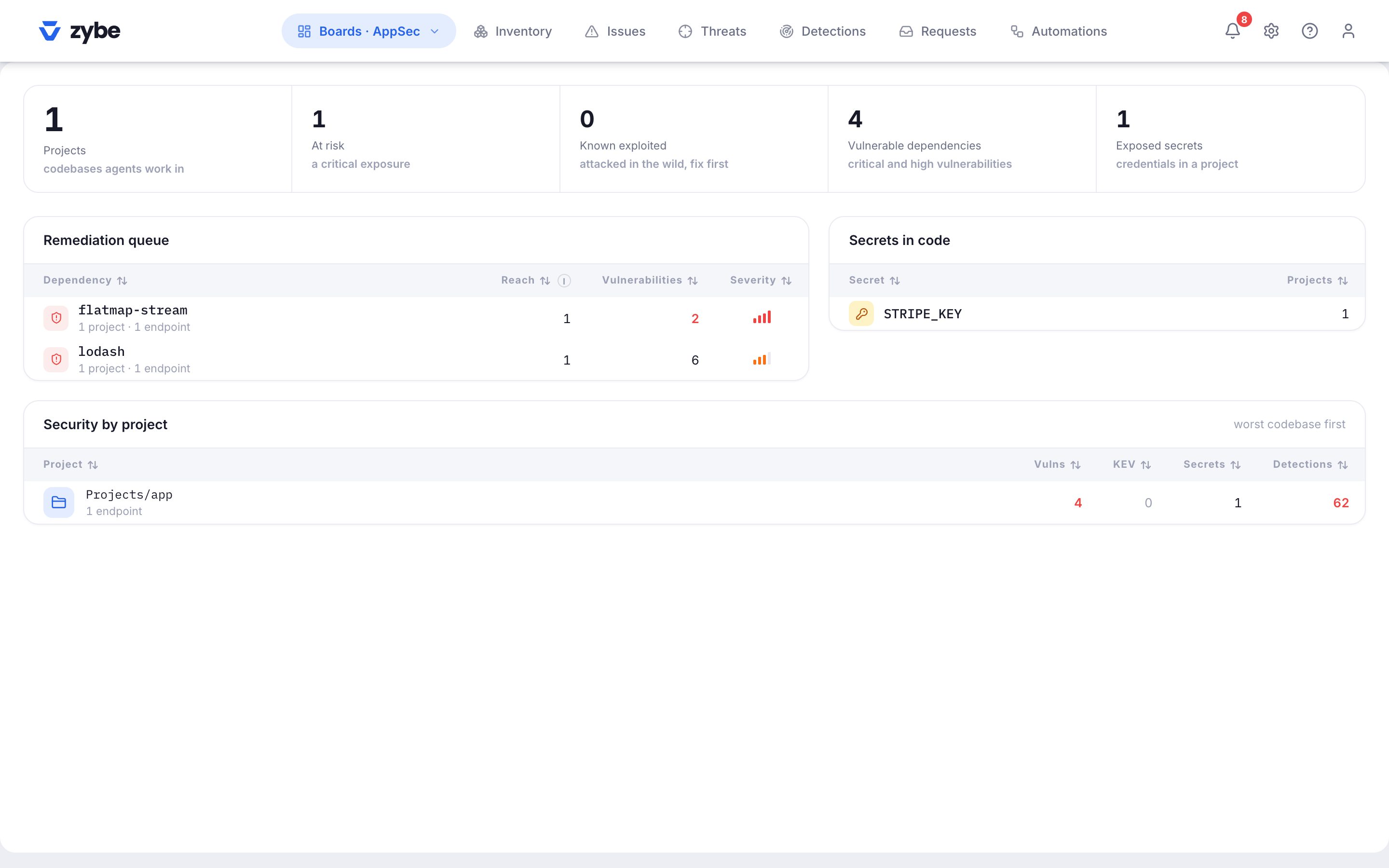
Projects and MCP servers that pull in the same package show up as one dependency on the AppSec board under Remediation queue, with how many projects it reaches. Fixing it once clears all of them.
Stop vulnerable installs before they happen
- Click the gear icon, then Rules, and open the Advanced card.
- Installs with a known vulnerability: choose Ask the developer, Block or Allow.
With Ask, when an AI tool is about to install a version with a critical or high advisory, the developer sees "has a high advisory, fixed in 1.3.1. Install the fixed version, or confirm to continue." With Block, it's refused with the fixed version named. This works on every AI tool that shows Blocking.
Block one package everywhere
Open it in the Inventory, Actions, Block, optionally below a version. See Block one MCP server, skill or package everywhere.
Do it automatically
The library has Block packages being exploited in the wild, Block packages with a public exploit and no fix and Block packages scoring 9 or higher. The first is on in every new workspace. See Build an automation.
In the Inventory
The Packages view has a Vulnerabilities column with counts by severity, an Exploited badge, and the highest CVSS score. An MCP server marked unpinned launches a package with no version fixed, so it runs whatever the registry serves and nothing can be matched against it. Pin it.